
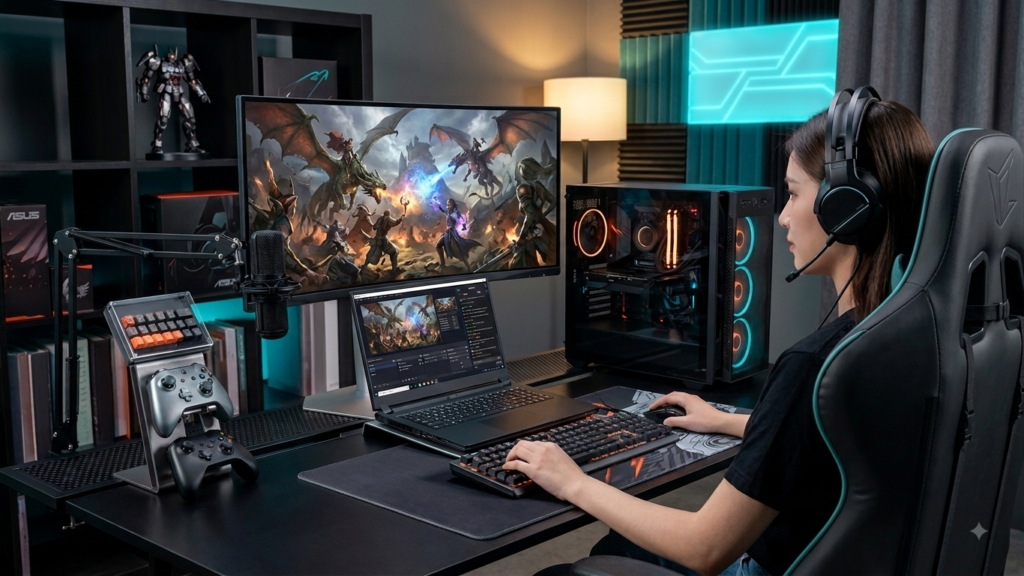
Picking a gaming laptop in 2026 feels a lot harder than it should. Every brand promises “flagship performance,” every spec sheet is stuffed with acronyms, and somehow every new launch claims to be the one that finally balances power, portability, and price. So when GIGABYTE quietly rolled out a new Ryzen 9 configuration of its AORUS MASTER 16 Gen 2, pairing it with an NVIDIA GeForce RTX 5070 Ti Laptop GPU, it’s worth pausing on why this particular combination matters. Choosing the right high-performance laptop isn’t just about chasing the biggest numbers — it’s about matching real components to what you’ll actually do with the machine, whether that’s ray-traced gaming, video rendering, or running local AI workloads.
This article covers what the AORUS MASTER 16 Gen 2’s new Ryzen 9 configuration actually delivers, who it’s genuinely built for, and how it stacks up against other 16-inch RTX 50-series gaming laptops on the market. It’s written for gamers, creators, and developers trying to decide whether this specific configuration is worth their money. Three things worth knowing before you dive in: this configuration pairs a Ryzen 9 processor with an RTX 5070 Ti Laptop GPU, it ships with GIGABYTE’s GiMATE AI system-control software, and it features a 16-inch OLED display built for both gaming and color-accurate creative work.
The 7 Key Questions About the AORUS MASTER 16 Gen 2 (Ryzen 9 + RTX 5070 Ti)
What Is the AORUS MASTER 16 Gen 2 with Ryzen 9 and RTX 5070 Ti?
This is a new hardware configuration of GIGABYTE’s flagship AORUS MASTER 16 Gen 2 gaming laptop line, built around an AMD Ryzen 9 processor paired with an NVIDIA GeForce RTX 5070 Ti Laptop GPU. It sits within a broader MASTER 16 Gen 2 lineup that also includes higher-end RTX 5080 and RTX 5090 variants, making this Ryzen 9 + RTX 5070 Ti pairing the more accessible entry point into the flagship chassis rather than a separate product line. The laptop features a 16-inch OLED display, an upgraded thermal system built to sustain performance under heavy load, and GIGABYTE’s GiMATE AI companion software for managing system behavior. In short, it’s a high-performance machine designed to handle AAA gaming, 3D rendering, software development, and increasingly common local AI workloads, all inside one chassis.
When Should Someone Consider This Laptop?
This configuration makes the most sense when you’re upgrading from an older gaming laptop that’s struggling with modern AAA titles at high settings, or when you’re a creator or developer whose current machine can’t keep up with rendering, compiling, or AI-model workloads anymore. It’s also worth considering ahead of a new GPU generation’s price stabilization — RTX 50-series laptops have been on the market long enough that pricing and availability are now fairly predictable, unlike right after a fresh architecture launch. If you’re deciding between waiting for next-gen hardware or buying now, a Ryzen 9 + RTX 5070 Ti configuration represents a strong performance-per-dollar sweet spot rather than bleeding-edge pricing.
Where Is It Most Relevant?
This laptop is most relevant for anyone whose work or play genuinely benefits from a desktop-class chassis you can still move around — a home office that doubles as a gaming setup, a dorm room, a studio space for content creation, or a hybrid work environment where you need serious horsepower without being tied to a stationary desktop tower. It’s less relevant if your primary use case is ultra-portable, all-day battery life computing, since laptops in this performance class prioritize power delivery and cooling over slimness and battery efficiency. Retail availability runs through authorized retail networks and major online platforms.
Who Is This Laptop For?
Four groups get real value here. Gamers chasing high frame rates and ray tracing in modern AAA titles will benefit directly from the RTX 5070 Ti’s Blackwell-architecture performance. Content creators working in 4K video editing, photo editing with large RAW files, or 3D rendering get a GPU with enough VRAM and compute headroom to handle demanding projects. Developers compiling large codebases or running local builds benefit from the Ryzen 9’s multi-core throughput. And a growing group — AI hobbyists and prosumers experimenting with local model training or image generation — get a GPU capable of intermediate-scale AI workloads without needing enterprise-class hardware.
Why Does This Matter?
It matters because the gaming laptop market has been flooded with confusing SKU variations, and knowing exactly what a Ryzen 9 + RTX 5070 Ti configuration actually gets you — versus a step-up RTX 5080 or step-down RTX 5060 model — genuinely changes your buying decision and your budget. This configuration also matters because it reflects a broader shift in flagship gaming laptops: they’re no longer built purely for gaming, but increasingly marketed toward the overlapping needs of gamers, creators, and AI-curious users all buying the same machine. Understanding that shift helps you evaluate whether you’re paying for capability you’ll actually use.
Which Configuration Should They Consider?
Within the AORUS MASTER 16 Gen 2 lineup, the Ryzen 9 + RTX 5070 Ti pairing sits below the RTX 5080 and RTX 5090 configurations in raw power but well above entry-level gaming laptops in overall capability. If your workloads are mostly 1440p gaming, moderate content creation, and everyday development work, the RTX 5070 Ti configuration is likely the better value than stretching for a 5080 or 5090 variant, whose extra performance mostly shows up at 4K or in heavy professional rendering pipelines. If you specifically need maximum frame rates at 4K or you’re doing serious AI model training, the higher-tier configurations are worth the extra cost — but for most gamers and creators, the RTX 5070 Ti tier hits the practical sweet spot.
How Do You Choose the Right Configuration?
Choosing well starts with being honest about your actual workload rather than chasing the biggest spec sheet. Check the display panel type and refresh rate against what you’ll actually notice — a 16-inch OLED panel is a genuine upgrade for color accuracy and contrast, especially for creative work, but only matters if your eyes and workflow benefit from it. Look closely at cooling design and sustained performance claims rather than just peak benchmark numbers, since thermal throttling under long gaming or rendering sessions is where cheaper laptops fall short. Finally, confirm RAM and storage configurations directly, since many manufacturers cap out at 32GB RAM and single-SSD configurations at this price tier — know what you’re getting before assuming it’s expandable.
Important Facts About Choosing a High-Performance Gaming Laptop
A few things worth knowing before you commit to any laptop in this class. GPU model numbers don’t tell the whole story — power limits and clock speeds for the “same” GPU can vary significantly between laptop SKUs and regions, so always check the specific wattage configuration rather than assuming all RTX 5070 Ti laptops perform identically. OLED displays trade some brightness for superior contrast and color, which is a clear win for creative work and cinematic gaming but worth knowing if you often use your laptop in bright outdoor light. A common buying mistake is ignoring sustained thermal performance in favor of peak benchmark scores — a laptop that throttles hard after 20 minutes of gaming will feel very different from one that holds its boost clocks. Watch for vague connectivity and audio specifications in official announcements; if a manufacturer doesn’t detail ports and audio hardware upfront, dig into third-party reviews before assuming your peripherals and headset will work as expected. Finally, remember that flagship configurations often launch before final pricing is confirmed, so don’t commit to a purchase based on preliminary announcements alone.
Top 5 High-Performance 16-Inch Gaming Laptops Compared
Here’s how the AORUS MASTER 16 Gen 2 (Ryzen 9 + RTX 5070 Ti) stacks up against other serious 16-inch gaming and creator laptops currently on the market.
1. GIGABYTE AORUS MASTER 16 Gen 2 (Ryzen 9 + RTX 5070 Ti) What it does well: Balances strong gaming and creative performance with a 16-inch OLED display and AI-assisted system management through GiMATE, all inside a chassis shared with higher-tier RTX 5080/5090 variants.
- Pros: OLED display, advanced thermal system, GiMATE AI performance profiles, strong value within the MASTER lineup
- Cons: Pricing not always confirmed at launch; full connectivity and audio specs often under-detailed by the manufacturer Best suited for: Gamers and creators who want flagship-adjacent build quality without paying for the top-tier GPU.
2. AORUS MASTER 16 Gen 2 (RTX 5090 variant) What it does well: Delivers full-power flagship performance in a genuinely slim 16-inch chassis, pairing a high-wattage RTX 5090 with a top-tier Ryzen 9 CPU and a 240Hz OLED display.
- Pros: Best-in-class raw performance, premium cooling, high-refresh OLED panel
- Cons: Significantly higher price; RAM and storage capped similarly to lower-tier configs despite the price jump Best suited for: Professionals and enthusiasts who need maximum 4K performance and heavy AI or rendering workloads.
3. Competing RTX 5070 Ti 16-inch Gaming Laptops (general market) What they do well: Multiple manufacturers now offer 16-inch RTX 5070 Ti laptops with similar core specs, often competing heavily on price and bundled software features.
- Pros: More price competition and configuration variety; some include longer warranty terms
- Cons: Cooling and sustained performance vary widely between brands even with identical GPU model numbers Best suited for: Buyers focused primarily on price-to-performance who are willing to compare cooling benchmarks brand by brand.
4. Standalone Desktop Build with RTX 5070 Ti Desktop GPU What it does well: A desktop tower using a full desktop RTX 5070 Ti card offers higher sustained clock speeds and easier long-term upgradeability compared to any laptop GPU of the same name.
- Pros: Better raw performance per dollar, fully upgradeable components, better long-term cooling
- Cons: Zero portability, requires a separate monitor, keyboard, and peripherals Best suited for: Users who don’t need to move their setup and prioritize raw performance and upgrade flexibility over convenience.
5. Lighter Creator-Focused Laptops (RTX 5060/5070 class) What they do well: Prioritize portability and battery life over maximum GPU power, often in thinner, lighter chassis better suited for daily carrying.
- Pros: Better portability, longer battery life, often quieter under load
- Cons: Noticeably lower gaming and rendering performance ceiling compared to RTX 5070 Ti and above Best suited for: Students, professionals, and creators who prioritize mobility over top-tier performance.
Top Guide Questions & Answers
How much RAM and storage do I actually need for this class of laptop? For most gaming and creative workloads, 32GB of RAM is currently the practical ceiling offered at this price tier, and it’s sufficient for modern AAA gaming, video editing, and moderate 3D rendering. Storage-wise, a single 1TB SSD is common at this tier, which fills up quickly with modern game libraries and creative project files, so budget for an external drive or check if the model supports a second internal SSD slot for future expansion.
Is an OLED display worth it for gaming specifically? Yes, for most gamers — OLED panels offer near-instant pixel response times, true blacks, and excellent contrast, all of which noticeably improve fast-paced gaming and cinematic titles. The tradeoff is peak brightness, which can lag behind high-end mini-LED or standard LCD panels in very bright environments, so it matters less if you mostly game indoors or in controlled lighting.
What does GiMATE actually change about how the laptop performs? GiMATE functions as a centralized control interface that lets you switch between performance profiles for gaming, productivity, and creative workloads, adjusting fan curves, power delivery, and system behavior accordingly. Over time, it’s designed to learn your usage patterns and suggest or apply personalized settings automatically, reducing the need to manually tune performance profiles for every different task.
Should I wait for RTX 5080 or 5090 pricing to drop instead? It depends entirely on your workload. If you’re doing heavy 4K gaming or professional-grade rendering and AI work, the performance gap justifies the wait or the extra spend. But if your use case is 1440p gaming, everyday development, or moderate content creation, the RTX 5070 Ti configuration already covers your needs well, and waiting mainly costs you time rather than gaining meaningful real-world performance for your workload.
How do I evaluate cooling claims before buying? Don’t rely solely on manufacturer marketing language like “advanced thermal system” — look for independent sustained-performance benchmarks that measure clock speeds after 20-30 minutes of continuous load, not just peak burst scores. A laptop that maintains 90%+ of its peak clocks under sustained load is meaningfully better than one that throttles hard, even if their spec sheets look identical on paper.
What should I check before buying if final pricing hasn’t been announced yet? Wait for official pricing confirmation before placing an order, and in the meantime, compare the confirmed specs against similarly configured competitors that do have published prices, so you have a realistic budget range in mind. Pre-order hype around flagship laptops sometimes leads to inflated early pricing that corrects once broader availability kicks in.
Frequently Asked Questions (FAQ)
- Q1: What processor and GPU does the AORUS MASTER 16 Gen 2 (Ryzen 9 configuration) use? This configuration pairs an AMD Ryzen 9 processor with an NVIDIA GeForce RTX 5070 Ti Laptop GPU, positioning it as a strong mid-to-high-tier option within GIGABYTE’s AORUS MASTER 16 Gen 2 lineup, which also offers RTX 5080 and RTX 5090 variants at higher price points.
- Q2: Does the AORUS MASTER 16 Gen 2 support 4K gaming? The RTX 5070 Ti Laptop GPU handles 1440p gaming very comfortably at high settings and can manage 4K in many titles with DLSS upscaling enabled, though sustained native 4K performance at maximum settings is better suited to the higher-tier RTX 5080 or RTX 5090 configurations.
- Q3: What is GiMATE and do I need to use it? GiMATE is GIGABYTE’s built-in AI companion and system-control software that manages performance profiles, fan behaviour, and personalised settings across gaming, productivity, and creative workloads. It’s optional software layered on top of standard system controls — the laptop functions normally without actively using it, but it adds convenience for users who want automated performance tuning.
- Q4: How much does the Ryzen 9 + RTX 5070 Ti configuration cost? At the time of its announcement, GIGABYTE had not confirmed final pricing for this specific configuration. Buyers should check GIGABYTE’s official retail channels and authorized online platforms directly for current pricing before making a purchase decision.
- Q5: Is this laptop good for content creation, or just gaming? It’s genuinely well-suited to both. The RTX 5070 Ti’s 16GB of VRAM and Blackwell architecture support 4K video editing, large RAW photo editing, and 3D rendering, while the 16-inch OLED display’s colour accuracy makes it a solid choice for colour-sensitive creative work alongside its gaming capability.
Conclusion
The AORUS MASTER 16 Gen 2’s new Ryzen 9 and RTX 5070 Ti configuration lands in a genuinely useful spot within GIGABYTE’s flagship lineup — powerful enough for serious gaming, content creation, and development work, without pushing you all the way to RTX 5080 or 5090 pricing. The core decision criteria that matter most here are straightforward: match the GPU tier to your actual workload rather than the biggest number on the spec sheet, weigh the OLED display’s contrast benefits against your typical lighting environment, and always check sustained thermal performance rather