How to Use an AI Voice Changer for Discord: Meet EaseUS VoiceWave
Let’s be honest—there’s something endlessly entertaining about jumping into a Discord call and suddenly sounding like Darth Vader. Whether you’re looking to prank your friends, level up your gaming persona, or just add some creative flair to your streams, having the right voice changer makes all the difference.
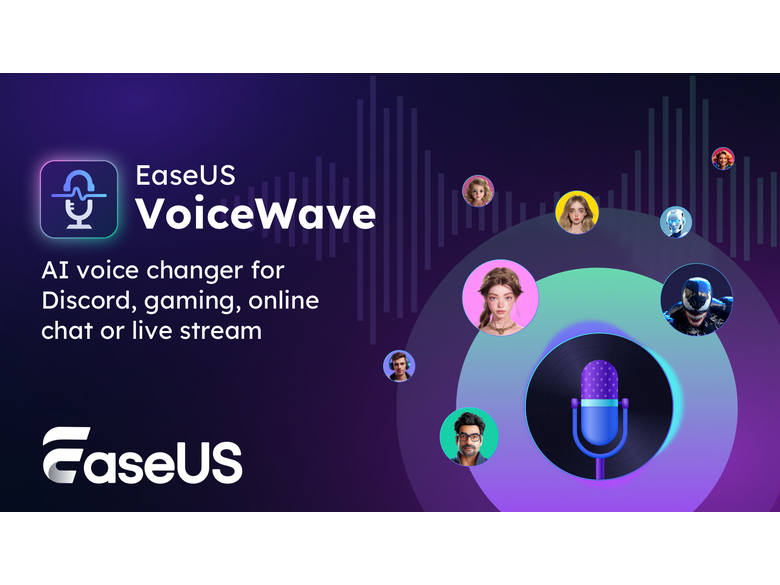
If that sounds like your kind of fun, EaseUS VoiceWave is worth checking out. It lets you transform your voice in real time with everything from robot tones to iconic characters like Autobots or Venom. And the best part? It’s surprisingly easy to set up with Discord.
In this guide, I’ll walk you through exactly how to get started.
What Is EaseUS VoiceWave?
EaseUS VoiceWave is designed for gamers, streamers, and content creators who want to make their voice chats more engaging. Instead of the same old mic input, you get a toolbox of real-time voice effects that can turn a casual chat into something memorable.
The interface is clean and beginner-friendly, so you won’t feel lost during setup. A free version gives you a taste of the basics, but upgrading unlocks a much wider range of effects and deeper customization—well worth it if you plan to use it regularly.
Voice Features & Customizations
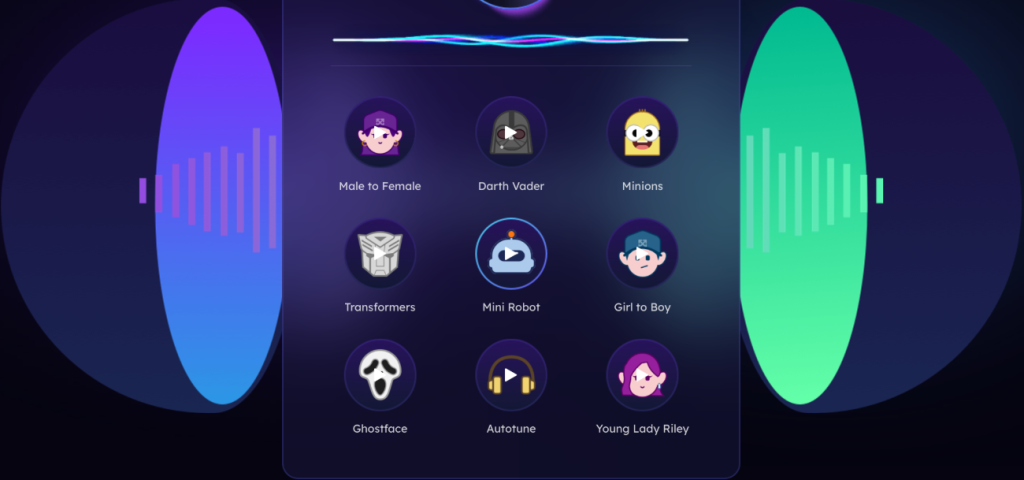
Once you’re inside VoiceWave, you’ll find a solid lineup of fun and creative options. Here’s what stands out:
- Diverse Voice Effects: Choose from robots, monsters, cartoon characters, and more.
- Pop Culture Favorites: Sound like Hulk, Iron Man, Venom, SpongeBob, or other familiar characters.
- Quick Switching: Assign shortcuts to change voices on the fly—no menu diving mid-game.
- Fine-Tuned Control: Adjust pitch, tone, and volume to make each voice feel like your own.
- Ambient Sounds: Add background effects like city noise, ocean waves, or airplane cabin sounds for extra immersion.
Beyond live voice changing, VoiceWave also lets you edit pre-recorded audio. Simply drag and drop a file into the app, apply voice effects, and tweak it to your liking. There are also presets to clean up background noise and enhance clarity. Once you’re done, export your audio in various formats for videos, streams, or recordings.
How to Set Up EaseUS VoiceWave for Discord
Getting everything connected is straightforward. Here’s a step-by-step breakdown.
Step 1: Install and Configure the App
- Download VoiceWave from the official EaseUS website and run the installer. Follow the prompts to complete the setup.
- Open the app, head to settings, and select your microphone and headphones from the list of available devices.
- Activate the full version by entering your license key if you’ve upgraded. This unlocks all voice effects and advanced customization.
Step 2: Connect to Discord
- Launch EaseUS VoiceWave and pick a voice effect you want to use.
- Fine-tune the sound using the pitch, volume, and tone sliders until it feels right.
- Open Discord, go to User Settings > Voice & Video, and set the Input Device to the VoiceWave microphone.
- That’s it—jump into a voice channel and start chatting with your new voice.
Pricing Options
| Plan | Price | What’s Included |
|---|---|---|
| Monthly | $14.95 | Free upgrades for 1 month |
| Yearly | $29.95 | Free upgrades for 1 year |
| Lifetime | $39.95 | Free upgrades for life |
Each license covers one computer. The monthly and yearly plans auto-renew but can be canceled anytime. If you see yourself using a voice changer long term, the lifetime plan is the best value—it’s a one-time payment with no recurring fees.
Frequently Asked Questions
Is EaseUS VoiceWave free?
There’s a free version with basic features. For the full range of voices and advanced tools, you’ll need a paid plan.
What devices does it work on?
It’s designed for PC and works with most popular platforms and games that support external microphone input.
Is it beginner-friendly?
Absolutely. The interface is intuitive, and the setup process is simple enough for first-time users.
Conclusion
EaseUS VoiceWave takes the effort out of adding personality to your Discord chats. Whether you’re streaming, gaming, or just hanging out with friends, it gives you a fun and easy way to sound like someone—or something—else entirely.
With straightforward setup, a strong selection of voice effects, and flexible pricing, it’s a solid choice if you’re ready to make your voice chats a little more entertaining.